Core Tree app icon

Core Tree: Cell Defense

Link cells to guard the core! A roguelite defense where placement is strategy.

Get it on Google Play

What is it

At a glance

Core Tree: Cell Defense is a roguelite defense game for Android, made by solo developer JNUNU. Bacteria and viruses swarm in from every side of a petri dish, all aiming for the core at its center. You hold them off by linking cells outward from the core, one by one. When the core falls, the run is over.

Name
Core Tree: Cell Defense (Korean title 코어 트리: 세포 디펜스)
Genre
Roguelite defense, a kind of tower defense (listed under Strategy on Google Play)
Devices
Android phones and tablets (Google Play)
Price
Free (in-app purchases and rewarded ads)
Languages
10: Korean, English, Japanese, Simplified Chinese, Traditional Chinese, Spanish, Portuguese, German, French, Russian
A run
There's no last wave. Waves keep coming until the core falls. A Megagerm shows up every 10 waves, and your best wave is saved as your record
Saves
Sign in with Google Play Games to continue on a new device
Developer
JNUNU (solo developer)

The core rule

Cells attack in the order the pulse reaches them

The core sends out a pulse at a steady rhythm. The pulse travels outward along your links, starting from the cells nearest the core, and each cell attacks the moment it's reached. Put the same cell somewhere else and the order and rhythm of your attacks change.

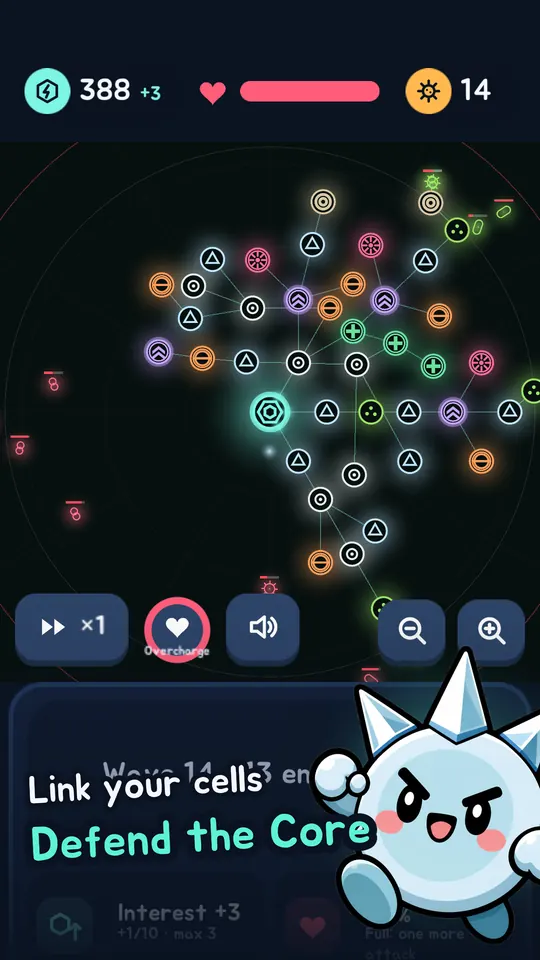
The big circle in the middle is the core.
  1. Place and link

    Spend the ATP you earn during a run on cells, and link them to the core or to cells you already placed. Your cells branch out like a tree.

  2. The pulse spreads

    The pulse travels along the branches, from the cells nearest the core outward.

  3. Reached cells attack

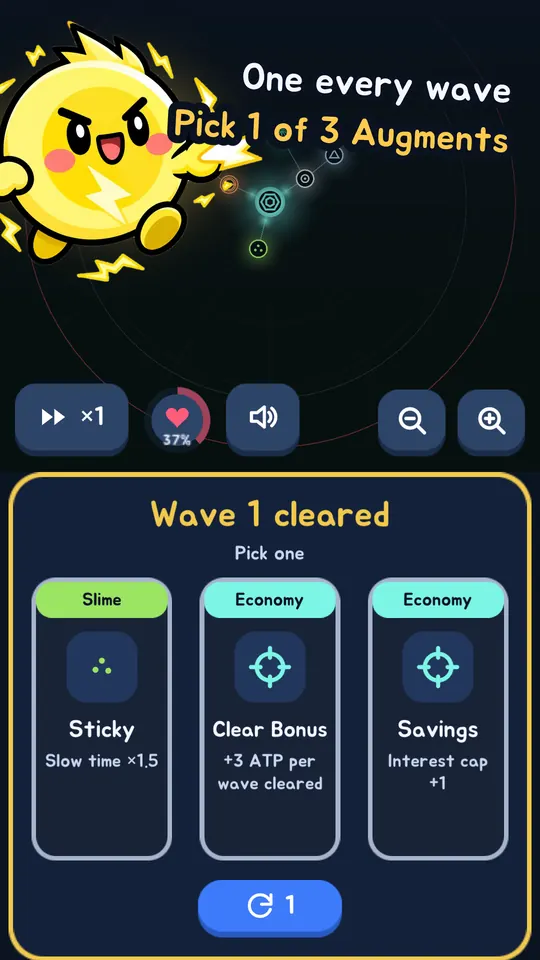
    Clear a wave and pick one of three augments to build up this run.

Screens

Screenshots

Battle: a tree of linked cells spreading from the core holds off enemies
Link your cells, defend the core
Wave 1 cleared: choosing one of three augment cards
Pick 1 of 3 augments every wave
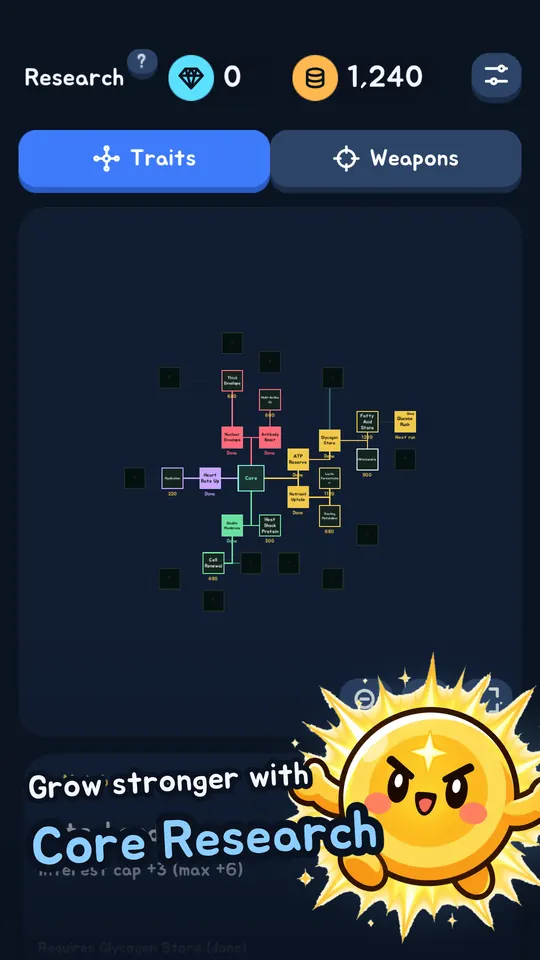
Core research screen
Grow stronger with core research
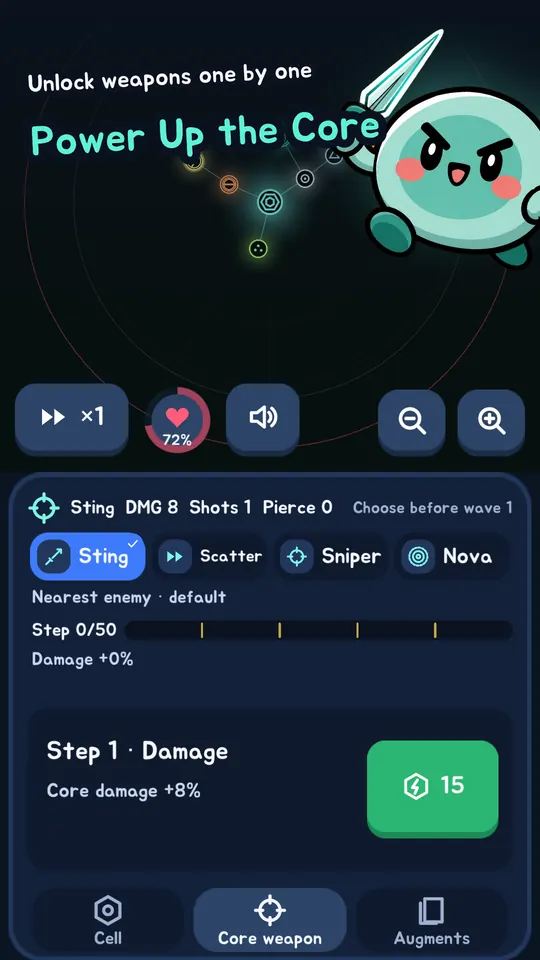
Choosing and upgrading core weapons: Sting, Scatter, Sniper, Nova
Unlock and upgrade core weapons
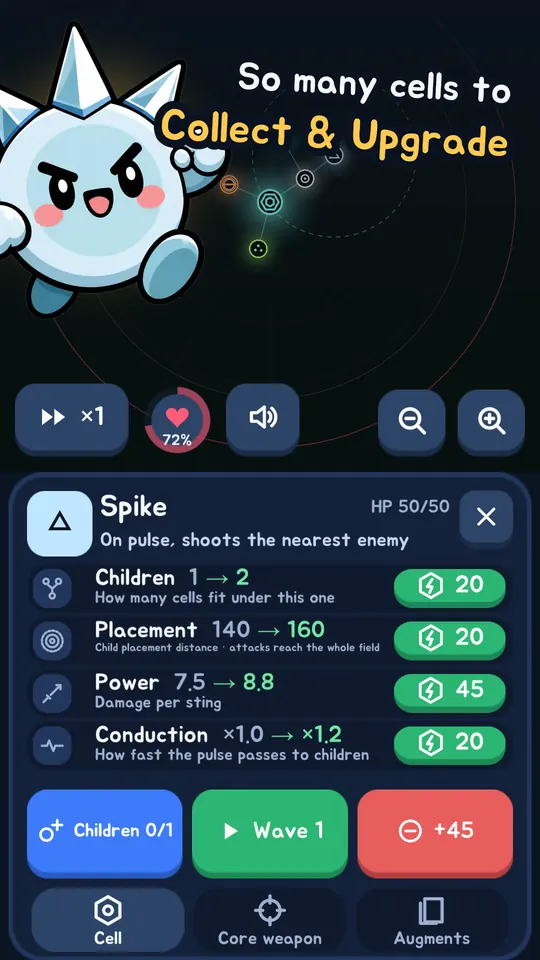
Spike cell details and upgrades
Collect and upgrade cells
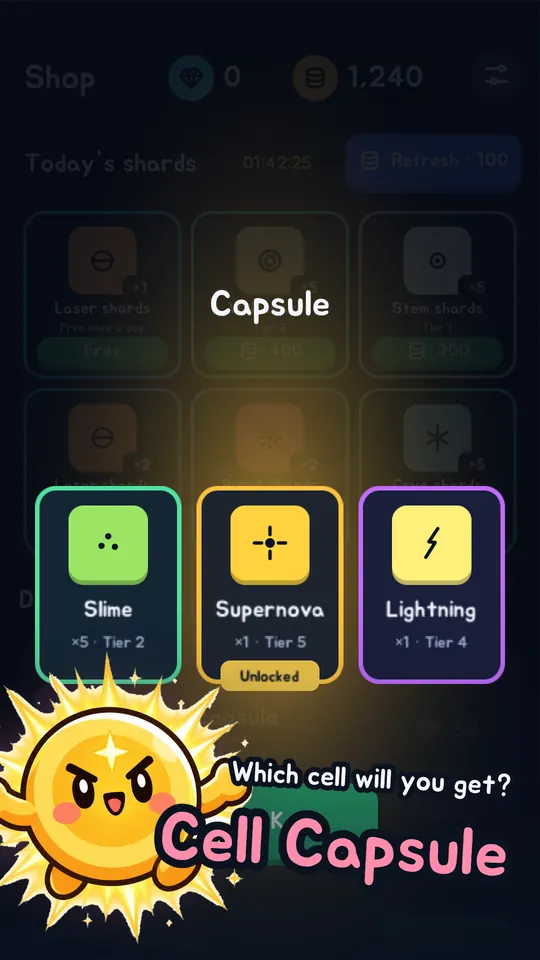
Cell capsule results: Slime, Supernova and Lightning cards
Get new cells from capsules
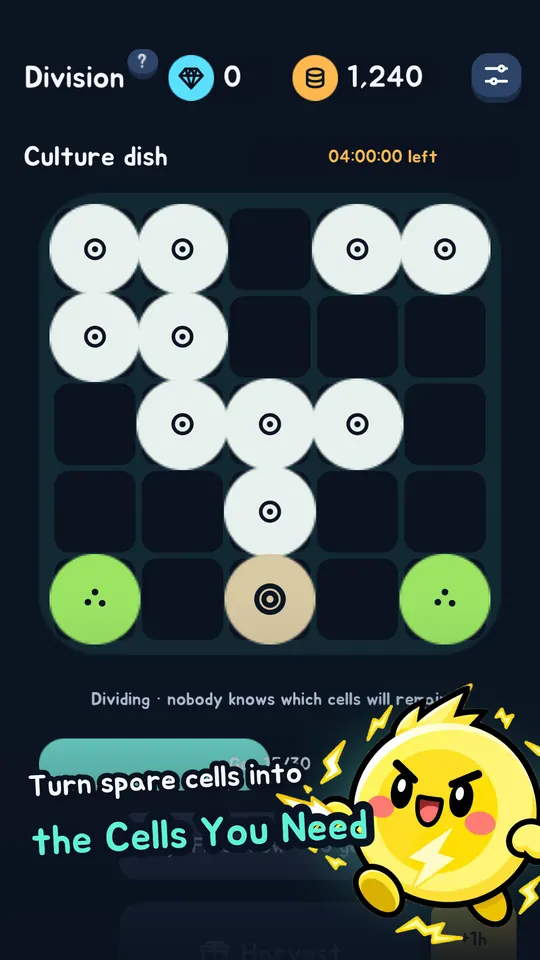
Culture dish in the Division tab
Turn spare shards into shards you need
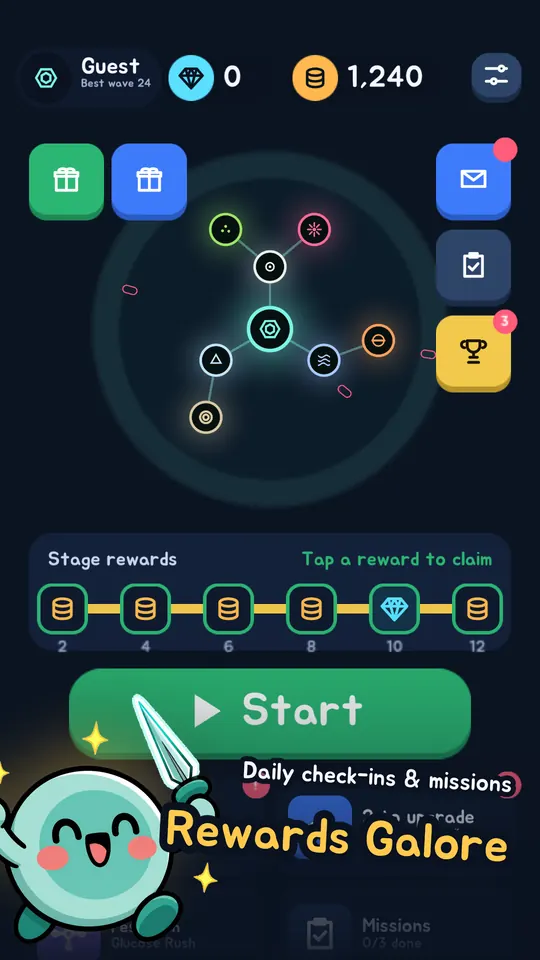
Lobby screen with stage rewards
Daily check-ins and missions

What you do

Every run is different, and your progress stays

Cells

Cells with different roles

Cells come in five tiers, and each has its own job, so picking your combination is half the fun. More cells are on the way.

  • Spike: shoots the nearest enemy
  • Slime: slows enemies around it
  • Lightning: chains to nearby enemies
  • Supernova: charges 3 pulses, then hits every enemy
Roguelite

Augments and the Megagerm

After each wave, pick one of three augments to shape this run's strategy. A Megagerm appears every 10 waves. Beat it and chase your best record.

Core weapons

The core fights too

The core shoots with Sting. Spend gold to unlock Scatter, Sniper and Nova, then pick your weapon at the start of a run.

Growth

Growth that stays after every run

Upgrade cells with the shards you collect, and use core research to start your next run stronger.

Division

Culture dish

Put spare shards into the culture dish in the Division tab to turn them into the cells you need.

Rewards

Rewards to collect

Check-in rewards, daily missions, achievements, stage rewards, and mailbox gifts.

Questions

FAQ

Is it free?

Yes, it's free to download and play. There are in-app purchases and rewarded ads, but both are optional.

Is it on iPhone?

Not yet. It's Android only, on Google Play.

Will I lose my progress if I change phones?

Sign in with Google Play Games and your progress is saved to your account. Sign in with the same account on the new device to continue.

Which languages are supported?

Korean, English, Japanese, Simplified Chinese, Traditional Chinese, Spanish, Portuguese, German, French and Russian.

How do I contact you or delete my account?

Send a message from the support page. To delete your account and data, see the account deletion page.